 IRONSTICK← Home
Download the software directly, request your licence key from us.
The Client App and the bridges run on the same Windows machine under a single IRONSTICK license key — the bridges need no key of their own. In addition, an AI is connected (see AI connection).
The main application for the workstation: cases, clients, deadlines, documents, evidence work and the AI chat — all local on your Windows machine.
Connectors that securely link external AI desktops to your Client-App through the MCP-Server — the AI works directly on the case file. Each Bridge requires a Client-App licence.
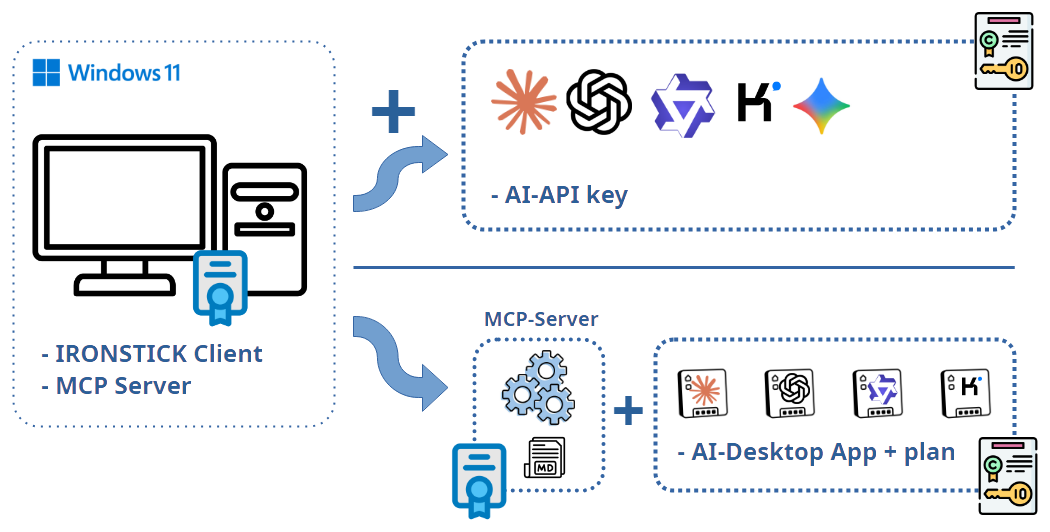
With an AI API key, all AI functions of the Client App are available. The amounts to activate API keys differ between providers, but range from a $1 to $5 minimum top-up for the initial activation. We recommend using at least two API keys to improve failover reliability. Billing is usage-based anyway, so unused API keys incur no cost. The Client App is designed to avoid costs where possible and to bring in the API keys only when needed. After signing in, the user has access via the configuration screen and can request the API keys there directly from the providers (direct links are included).
The AI desktop apps can also be used for testing without a subscription. Monthly subscription costs at the providers start at about $20 per month. If you find that your subscription with one provider is not enough, the providers offer add-ons. If a subscription already exists, it can simply be kept with the existing configuration — the user does not have to change anything. There are two ways to use existing AI desktop apps: a) by exporting AI instruction files (highly lossy) or b) via the bridge (MCP server). Once the user has grown accustomed to their AI desktop app, we recommend installing a second desktop app from a different provider for failover reliability. The download links are available directly in the configuration screen.
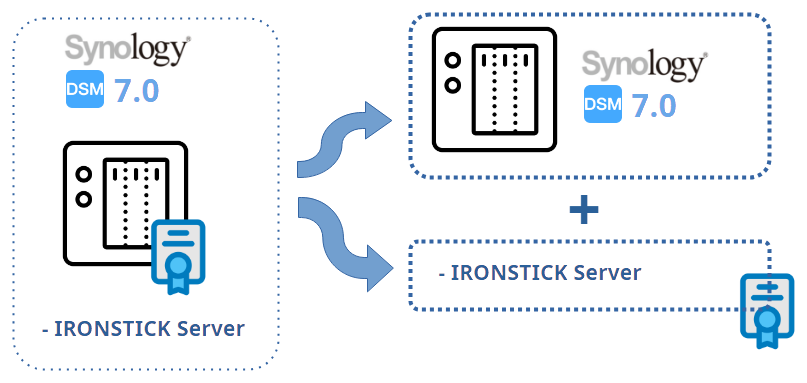
The IRONSTICK Server is a pre-packaged SPK file that installs on your Synology NAS with 3 mouse clicks. All you need is a Synology NAS; the affordable models start at around €180. Here too: no installation effort. Plug it in and let it run.
Runs on an ordinary Synology NAS and shares cases, documents and deadlines across several workstations — central, encrypted storage with self-healing and backups. Available from at least two Client-App licences.
DownloadThe capture workstation at the scanner: scan mail and documents centrally, assign them to cases and feed them in automatically. Requires a Server.
DownloadCopy the template below, fill in the fields and send it together with a PDF copy of your ID (passport, identity card or Buletin) via the contact channels shown below (WhatsApp / Telegram).
Subject: Licence key order – [First name] [Last name]

I hereby order licence keys for IRONSTICK:

Law firm / practice / company (if any): [……]
CUI / USt-IdNr. (if a company): [……]
Salutation / title: [……]
First name: [……]
Last name: [……]
Street and no.: [……]
Postal code / city: [……]
District / county: [……]
Country: [……]
Phone: [……]
Mobile: [……]
WhatsApp: [ ] yes
E-mail for the key(s): [……]
Correspondence language (DE / EN / FR / IT / ES / RO): [……]
Date of birth (YYYY-MM-DD): [……]
CNP (if applicable): [……]

Requested licence(s):
[ ] IRONSTICK Client-App   (base licence)
[ ] Bridge(s)              (unlocked in the Client-App key)
[ ] IRONSTICK Server       (only with at least 2 Client-App licences)
[ ] Central Scan-App       (only with at least 1 Server licence)

There is exactly one licence per user (the person named above).

As a PDF I am attaching:
• a copy of my ID (passport / identity card / Buletin)

Please send me the licence keys in return. For any questions you can
reach me via the contact channels named below (WhatsApp / Telegram).

Kind regards
[First name] [Last name]
The key is entered at program start in the licence window (and can be changed later in the configuration). It also unlocks the Bridges — these need no key of their own.
The Server key is stored during the server setup.
The key is entered in the licence window when the Scan-App starts.
For the Client-App there is, on request, a free one-month licence key so you can get to know the product at your leisure. There is no trial period for the Server and Scan-App.
What happens when the license expires? About 10 days before your license expires, the Client App warns you (if you are running the IRONSTICK Server, you see a license overview of all connected clients). You can then simply order the required license keys by e-mail or WhatsApp. Your request is verified against the existing data and payment is awaited. As soon as payment has been received, you receive the new license key by e-mail / WhatsApp. It is a string of characters that you simply copy into your Client App (copy & paste). Done.
Interested in IRONSTICK, a demo, or the price list? Write to us.
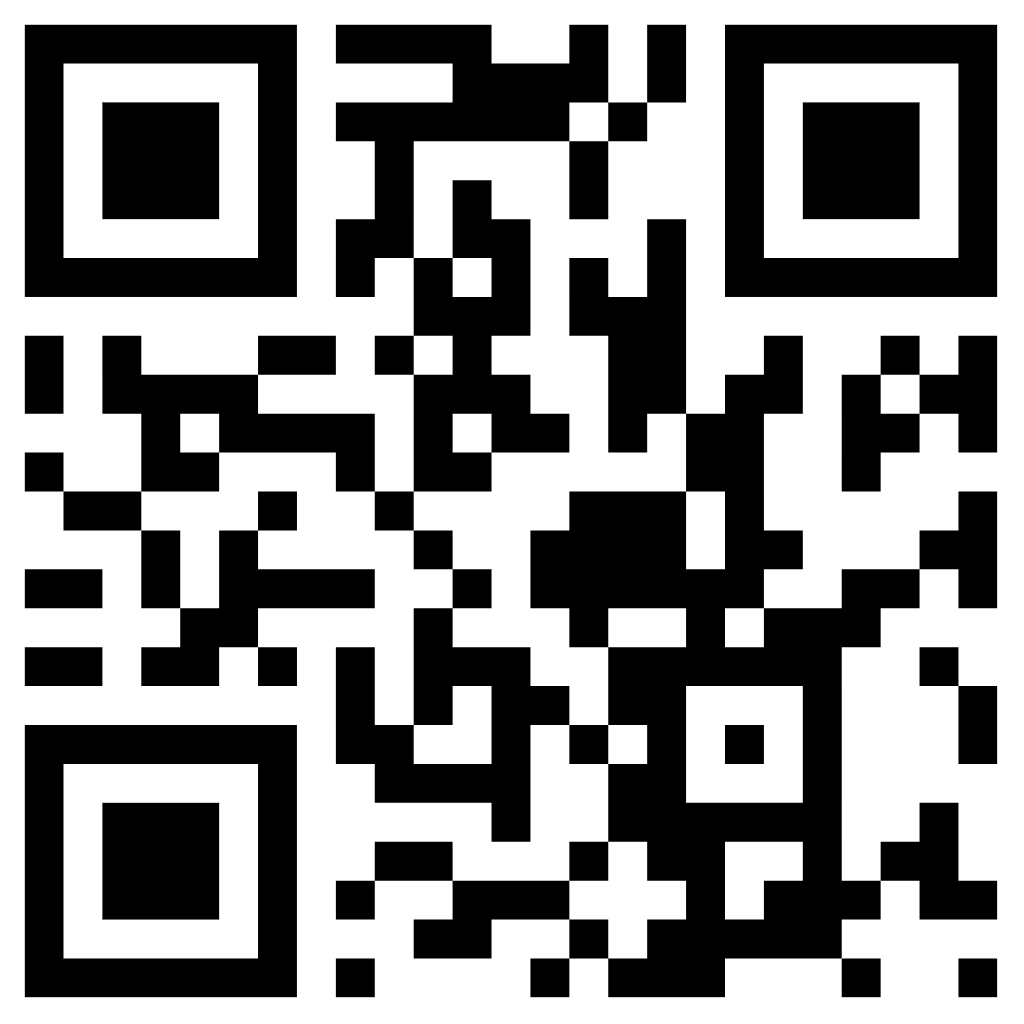

Scan the code to save our contact card — phone, e-mail and website.
Feel free to contact directly via WhatsApp or Telegram — calls are welcome too. Spoken languages: German, English, Romanian.
IRONSTICK is legal-practice software. This website is for informational purposes only and does not constitute legal advice.
© 2026 IRONSTICK.
The installer is split across several files. Download all of the files listed below into the same folder, then run the file ironstick-setup-1.0.0.exe. Do not rename the .bin files and do not separate them from the setup.